Necessary
Always activeSupports security, form reliability and remembering your privacy choice. It is not used for advertising.

How to simplify form completion, preserve qualification signals, and connect every submission to a measurable business handoff.

A form is often the narrowest point in an otherwise strong customer journey. Traffic, positioning and trust can all work, then a poorly designed request experience creates unnecessary resistance. Effective form conversion optimization is therefore not about making every form shorter. It is about removing friction while preserving the information your team actually needs to judge and handle an opportunity.
That distinction matters because a form can fail in two directions: excessive effort can increase form abandonment, while excessive simplicity can produce weak inquiries. A broader website conversion audit can reveal where the journey breaks; the form itself needs a more focused diagnosis.
Before changing fields, define what the submission should accomplish. A general contact form, quote request, consultation request and service application do not need the same information.
When one form tries to serve every visitor, field logic becomes vague and the user must decide what information might be relevant. This is a common form friction pattern within wider website conversion issues. Match the form to the page intent, then make the next step explicit.
Every required field should earn its place. Ask whether the answer changes routing, eligibility, preparation or the first useful response. If it does not, consider collecting it later.
This is where lead qualification should support the customer journey rather than dominate it. The goal is not to remove qualification; it is to collect the minimum useful context that protects lead quality. For high-intent service pages, Mono’s Website Conversion System treats capture as part of a larger decision path rather than an isolated widget.

People are more willing to provide context when the request feels proportionate and predictable. Clear field labels, optional markers, short helper text and a visible explanation of what happens after submission reduce uncertainty.
Trust matters especially when asking for budget, company details, documents or project context. The website credibility checklist shows why confidence should continue through the inquiry stage, not stop at the CTA. Good form conversion optimization keeps the commitment understandable at the moment it is requested.
A long form is not automatically a bad form, and a short form is not automatically easy. Poor spacing, unclear labels, weak error messages, inappropriate input types and mobile keyboard problems can make even four fields frustrating.
The W3C Forms Tutorial recommends clear labels, instructions, validation and user notifications, while also advising that forms request only information needed for the process. Build for easy scanning, touch interaction, autofill where appropriate, visible required states and helpful recovery when validation fails.
Multi-step forms can make a complex request easier to process when fields naturally belong to distinct stages. They are less useful when a simple inquiry is artificially split into several screens.
Group questions around the visitor’s mental model: contact, need, project context, then confirmation. Show progress when the sequence is genuinely long, preserve entered data, and avoid revealing late-stage requirements that should have been clear earlier. The point is to reduce perceived effort without hiding the real commitment.
The form is not the end of conversion. A technically successful submission can still become a business failure if it reaches the wrong inbox, loses source context or receives no clear owner.
That is why form conversion optimization should include confirmation, routing and follow-up. Mono’s guide to website workflow automation explains how capture can trigger notifications, records and ownership.
Where acquisition and qualification span multiple sources, the Lead Generation System provides the broader source-to-response architecture.

Form analytics should answer more than “How many submissions occurred?” Track meaningful stages such as form starts, validation failures, successful submissions and thank-you completion where your setup supports them. Google’s Analytics event documentation explains how recommended and custom events can measure website interactions beyond automatically collected activity.
Then connect website evidence with operational evidence. Which forms create qualified conversations? Which fields help lead qualification? Which sources create poor-fit requests? Conversion rate optimization becomes more useful when completion data and lead quality are reviewed together instead of optimizing one metric in isolation.
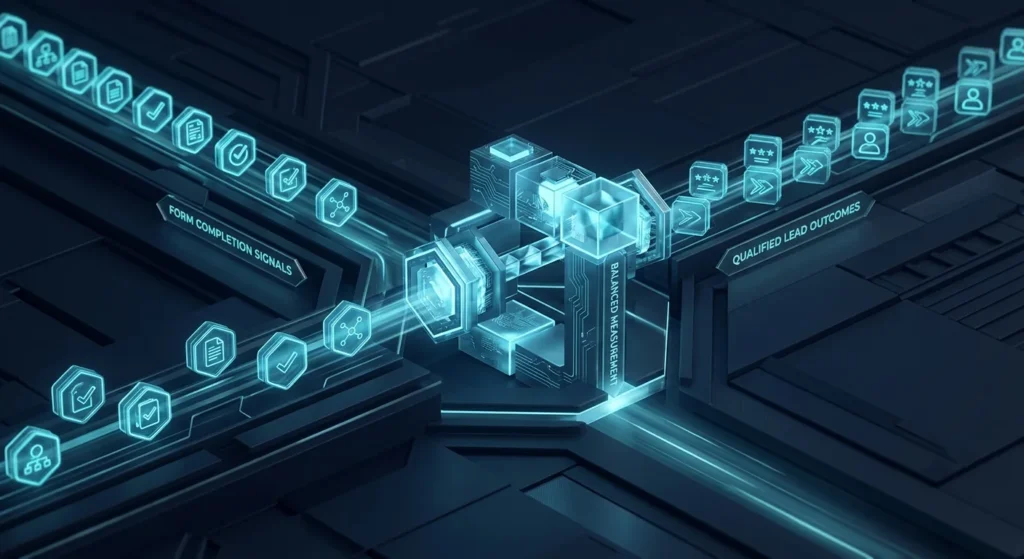
The best form is not necessarily the shortest. It is the form that asks the right questions at the right moment, feels easy to complete, confirms the next step and passes useful context into the business.
Start by identifying whether the biggest loss comes from form friction, unnecessary qualification, technical usability, or the handoff after submission. If the wider journey is unclear, a System Review can help locate the first bottleneck before more traffic or more fields are added.
If qualified visitors reach the form but submissions are weak, incomplete or poorly routed, review the form as part of the complete decision and response path.
Explore Conversion SystemGet System ReviewArticle FAQ
It is the process of improving how a website form communicates, collects information, handles errors, completes submissions and passes useful context to the business without creating unnecessary user friction.
There is no universal ideal number. Keep fields that materially affect qualification, routing or the next response, and remove or postpone information that does not influence the first business action.
Yes. Removing useful qualification fields can increase raw submissions while giving the sales team less context. Optimization should reduce unnecessary effort rather than eliminate valuable information.
Only when the questions form logical groups and the staged structure makes a genuinely complex request easier to understand. A simple inquiry should not become a multi-screen process without reason.
Useful measurements can include form starts, validation problems, successful submissions, thank-you completion, source information and—most importantly—the operational quality of the inquiries that reach the team.