Necessary
Always activeSupports security, form reliability and remembering your privacy choice. It is not used for advertising.

Audit clarity, trust, mobile UX, lead capture and measurement before turning a visual refresh into an expensive guess.

A redesign can improve a website, but it can also preserve the wrong problems behind a more polished interface. Before changing layouts, colors or components, run a website conversion audit to identify where the customer journey loses clarity, trust or momentum. The goal is to separate design preferences from evidence: what visitors need to understand, what prevents action and what the business needs to measure after launch.
Define the most valuable action for each important page. A homepage may route visitors to priority services, while a service page may need to generate a qualified inquiry. If a page tries to sell, educate, explain everything and collect several actions at once, the redesign will inherit that confusion.
Review the headline, supporting copy and first visible action. A new visitor should identify the offer, intended audience and next logical step quickly. If the message is vague, changing the visual style will not solve the positioning problem.
List the questions a prospect needs answered before contacting the business: What is offered? Is it relevant? Why should I trust it? What happens next? Compare that sequence with the page order. Friction often appears when useful information arrives too early, too late or without context.

Do not treat testimonials, case work, process explanations, credentials and FAQs as decoration. Check whether proof appears close to the claims it supports. A strong promise followed by generic sections before evidence forces uncertainty through the page.
Identify every button, form trigger, phone link, WhatsApp route and booking action. Check whether they compete or represent different levels of intent. A strong path usually has one primary action and limited contextual alternatives rather than repeated, unrelated calls to action.
Review what the form asks for, why each field is needed and what the user expects after submission. Too little context can create weak inquiries; too much required information can create resistance. Collect enough detail for the next business step without turning first contact into an application process.
Audit section order, tap targets, sticky elements, form usability, spacing, menus and key actions on smaller screens. The mobile version should preserve the same decision logic, not merely stack desktop components vertically.
Performance affects experience when important content loads late, layout shifts interrupt reading, or controls respond slowly. Google’s Core Web Vitals measure loading performance, responsiveness and visual stability, but they should support user experience rather than become a score-chasing exercise.
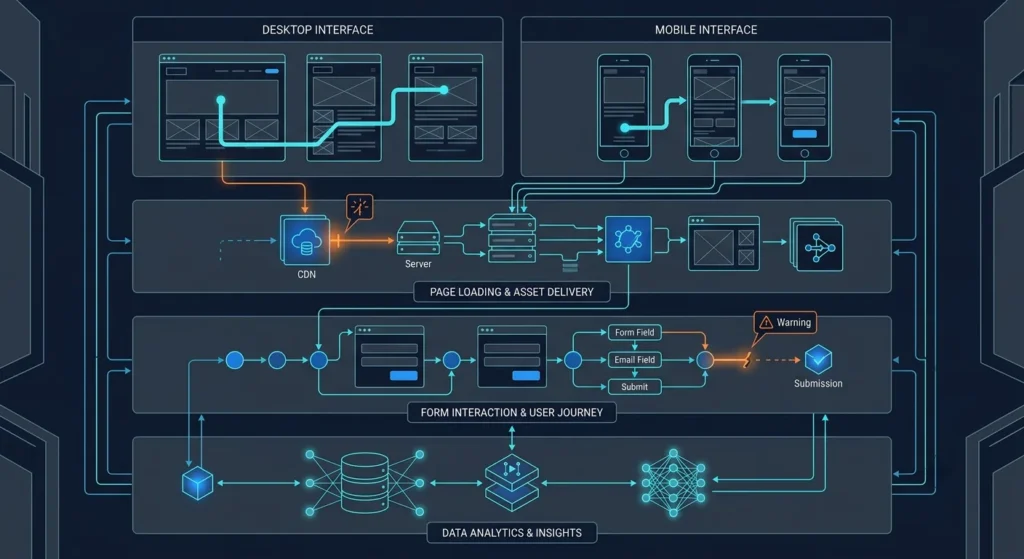
A redesign can affect headings, internal links, copy, URLs and indexable structure. Before removing or merging pages, identify which pages already serve useful search intent and what each priority page should own. Visual simplification should not remove content or architecture that helps users and search engines understand the site.
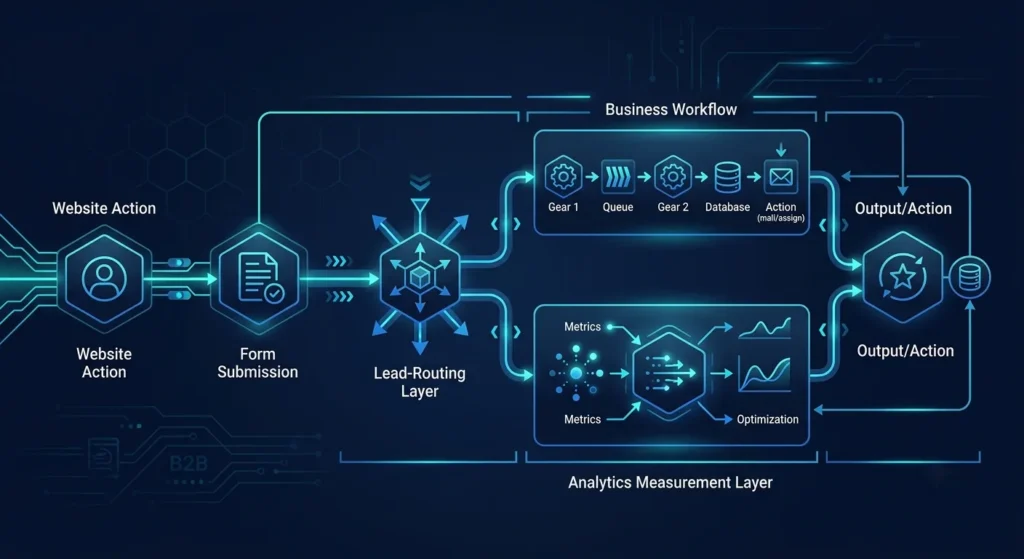
The website conversion audit should continue beyond form submission. Check where inquiries go, what information reaches the team, whether notifications work and whether the next action is clear. A cleaner interface does not create a better system if leads still disappear into an unmanaged inbox.
Decide what will count as meaningful progress before launch: qualified forms, booking requests, call clicks, WhatsApp actions or another business-relevant event. Confirm that thank-you states, analytics events and source tracking distinguish real outcomes from generic button activity. Without measurement, the redesigned site is harder to evaluate objectively.
Group the findings into keep, improve and rebuild. Some websites need new architecture; others need focused changes to messaging, proof, forms, performance or tracking. Mono’s Website Conversion System follows the same principle: improve the smallest practical part of the journey that creates the biggest decision problem before expanding scope.
A redesign should be the result of diagnosis, not the diagnosis itself. Review message clarity, trust, CTA structure, mobile UX, performance, search intent, lead handling and measurement first. The project brief then becomes more precise: you know what must change, what should be preserved, and how the new website should support the customer journey after launch.
A redesign should follow evidence, not replace it. Review the current decision path first, then decide what should be kept, improved or rebuilt.
Request Conversion ReviewGet System ReviewArticle FAQ
A conversion audit should review the complete path from landing to business action. That normally includes messaging, page hierarchy, trust, CTAs, forms, mobile usability, performance, search intent, lead routing and measurement.
Yes. An audit helps determine whether the problem actually requires a redesign. Some websites need structural rebuilding, while others can improve through targeted changes to messaging, UX, forms, performance or tracking.
Look for a gap between relevant traffic and meaningful business actions. Weak inquiries, low form activity, unclear customer questions, abandoned processes or untracked leads can indicate friction somewhere in the decision journey.
It can if important URLs, content, headings, internal links, metadata or indexable page relationships are removed or changed without a migration plan. Search requirements should therefore be reviewed before the new architecture is approved.
Measure actions connected to business value rather than page views alone. Depending on the website, these may include qualified form submissions, booking requests, call actions, WhatsApp inquiries, thank-you completions and traffic-source attribution.