Necessary
Always activeSupports security, form reliability and remembering your privacy choice. It is not used for advertising.

A reliable lead journey preserves context from submission through ownership, follow-up and measurement, so every connected tool supports the same business decision.
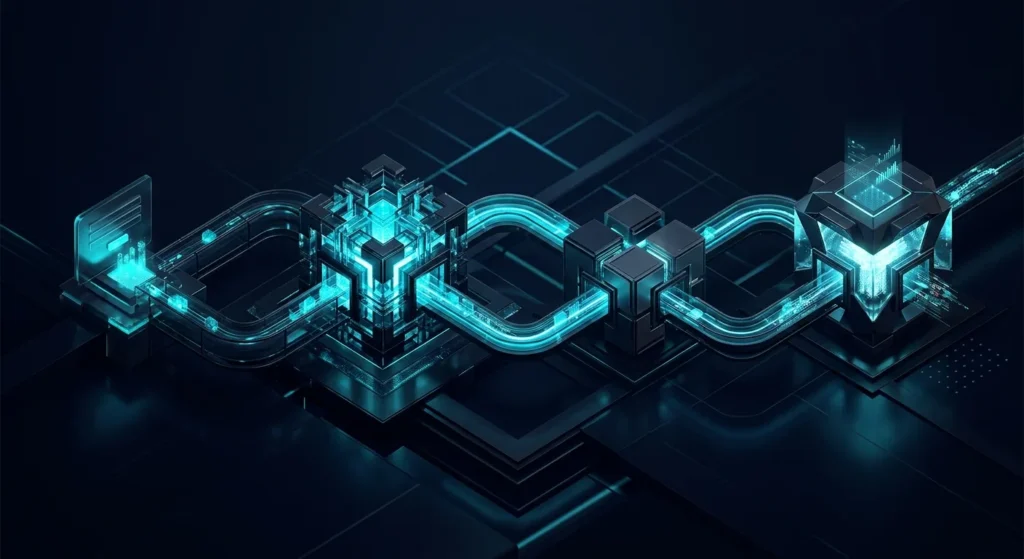
A form submission is not the end of a website journey. It is the moment customer intent becomes operational data. A reliable website data flow should preserve that intent as information moves from the website into the CRM, email notifications, team ownership and analytics. When those connections are designed separately, the business may receive the inquiry while losing the context needed to act on it.
This is why a connected website behaves differently from a collection of tools. Mono’s guide to website form automation explains what should happen immediately after submission, while the broader lead generation website system shows why capture, qualification, routing and measurement belong to one journey.
The first connection is between visitor intent and usable business data. A form should collect only the fields that change the next decision: service, location, timing, request type or another relevant qualifier. Good web development treats forms, thank-you states and tracked actions as part of the website architecture, not as an isolated plugin.
That structure protects CRM data quality before the record reaches another system. If every inquiry enters with inconsistent labels, missing source information or free-text answers where structured choices were needed, later automation becomes less reliable.
The second layer is form to CRM integration. A successful submission should become a record that keeps the original contact details, request context, timestamp and useful source information together. Manual copy-and-paste introduces delay and makes it difficult to know which information is original and which was added later.
Where tools need to exchange records automatically, website API integration becomes the technical bridge. The goal is not integration for its own sake. It is one source of operational truth that sales or service teams can actually use.
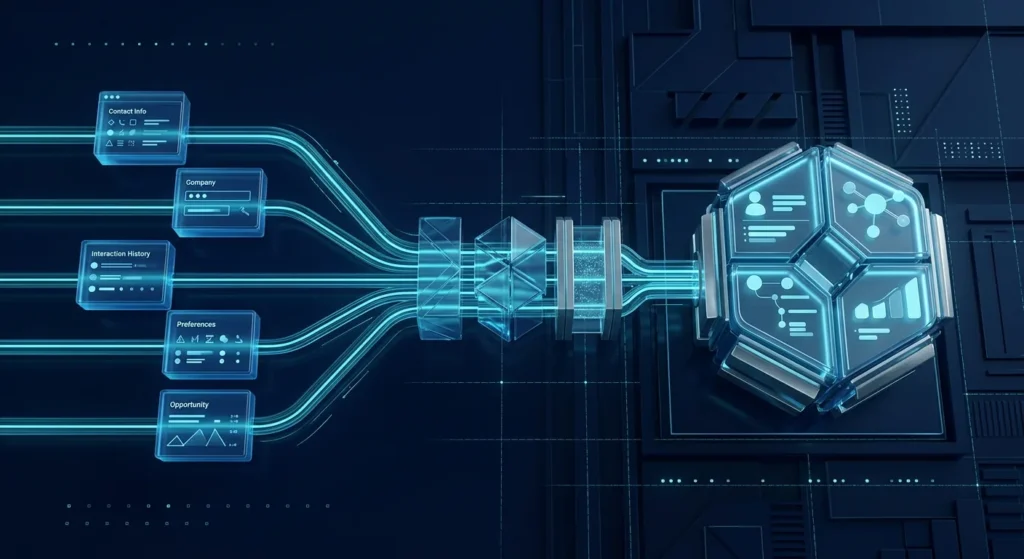
Creating a CRM record still does not guarantee a response. The system needs lead routing automation that decides who owns the inquiry and what happens when the normal route fails. Mono’s guidance on lead routing automation makes this distinction clear: notification creates visibility; routing creates responsibility.
Rules can use service type, language, region, urgency or another business-relevant field. The same lead routing automation should also define a fallback for unmatched requests, unavailable owners and failed integrations.
Email remains useful, but it should support the workflow rather than become the workflow. A strong email notification workflow can confirm submission to the customer, alert the assigned owner and communicate the next expected action. It should not be the only place where the lead exists.
This is where AI Automation or simpler rule-based automation can help: create records, send alerts, summarize context and escalate exceptions without requiring the team to reconstruct the request manually. The right automation follows an already-defined process.
Marketing data often disappears precisely when a visitor becomes a lead. The page may know the campaign, referral or search source, while the CRM receives only a name and email. Useful attribution tracking keeps relevant source context attached to the submission and, where appropriate, carries it into the operational record.
Google documents how UTM campaign parameters can identify campaign traffic. The business still needs to decide which source fields matter after submission. A Lead Generation System is designed around that complete source-to-response path rather than reporting clicks in isolation.
Analytics should confirm that the important steps happened, not merely that pages loaded. Google Analytics supports events for specific interactions, including form and lead actions, through its event measurement model. That makes conversion tracking more useful when event names and parameters reflect the journey the business actually operates.
At this point, website data flow becomes a measurement system. The website can record a completed submission, while the CRM or workflow can reveal assignment, follow-up and outcome. Conversion tracking is strongest when marketing and operational signals can be interpreted together rather than as separate dashboards.
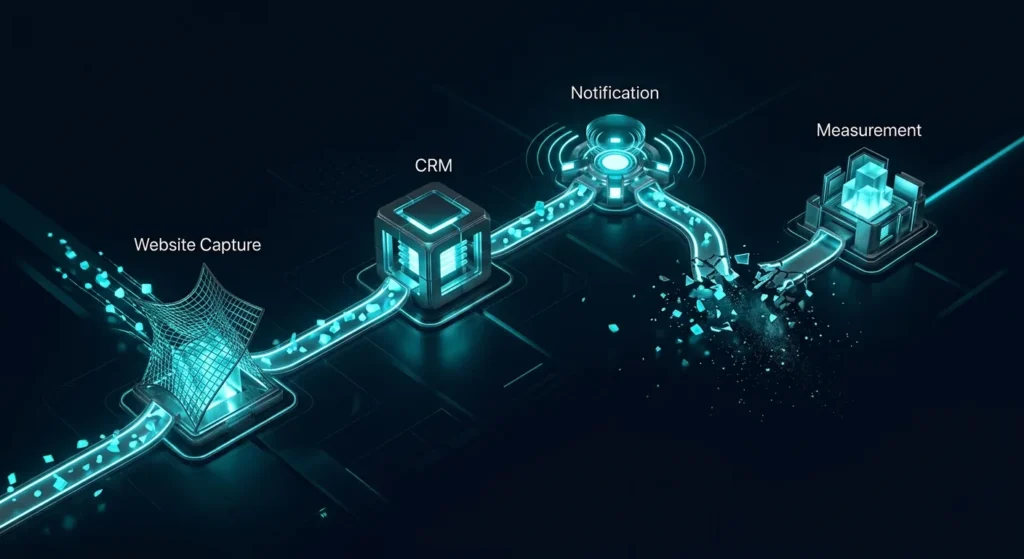
Most integration problems are not visible on the front end. The form works, the email sends and the CRM exists, yet the customer context becomes incomplete between them. Mono’s analysis of website integration problems shows why disconnected tools create delays, duplicate work and weak reporting even when every individual platform appears functional.
The practical fix is to map one real inquiry from source to outcome. Check what the visitor submits, what enters the CRM, which owner receives it, what the customer is told, which events are recorded and what happens when any step fails. This system-first approach is consistent with a broader website structure strategy: each component should support the next decision.
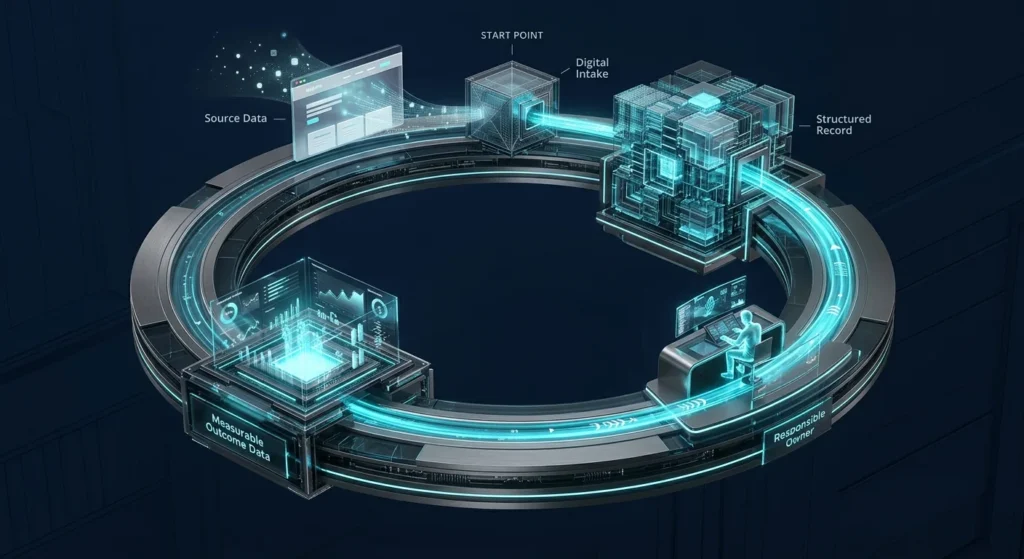
When website data flow is designed as one operating path, forms capture context, CRM records preserve it, email supports handoff, automation assigns responsibility and analytics provide evidence for improvement. For businesses already using several tools, Digital Growth Infrastructure is the logical framework for connecting those layers without replacing systems that already work.
If forms, CRM, email, automation and analytics operate as separate tools, map the full journey before adding another platform. Start with the connection where customer context, ownership or measurement is currently being lost.
Explore InfrastructureRequest System ReviewArticle FAQ
The submission should be validated, stored as a usable record, assigned to the correct owner, acknowledged to the customer and made visible to the measurement system. The exact workflow depends on the business and request type.
No. A simple business with low inquiry volume may operate reliably without a dedicated CRM. Integration becomes more useful when manual copying, several lead sources, multiple owners or inconsistent follow-up start creating operational friction.
Usually not. Email works well for confirmations and alerts, but an inbox provides limited structure for ownership, status, source context and reporting. The operational record should live somewhere the team can consistently manage.
Analytics should measure relevant customer actions and acquisition context, while the CRM records the operational progression of an inquiry. The measurement design should make those two views interpretable together without turning analytics into the customer database.
Start with one high-value inquiry path and trace it from source through submission, record creation, ownership and follow-up. Fix the first point where useful context or responsibility disappears before expanding the system.