Necessary
Always activeSupports security, form reliability and remembering your privacy choice. It is not used for advertising.

A clear business website or a tailored application? Start with the outcome, then shape the experience, functionality and technical scope around it.
Discovery first. No assumed platform, timeline or one-size-fits-all specification.
Both paths begin with your users and business goals. The difference is what the experience must actually do.
Give your business a credible, fast-to-navigate site with a useful path from visit to inquiry.
Best fit Company websites, focused landing experiences and planned rebuilds.
Build a tailored web interface around a real process, user roles or integration need.
Best fit Portals, dashboards and internal tools beyond an ordinary brochure website.
Successful implementation depends on content ownership, user journeys, constraints and post-launch responsibilities. Those decisions shape the build—not the other way around.
Explore Web Development capabilityMilestones and technical stack are established during scoping; the sequence keeps decisions visible.
Map target users, content, integrations, scope and constraints.
Implement responsive flows, CMS structures or application functionality.
Test key paths, form behavior, devices and agreed acceptance cases.
Coordinate launch, documentation and ongoing support boundaries.
Published projects provide useful context, not a promised outcome for your build.
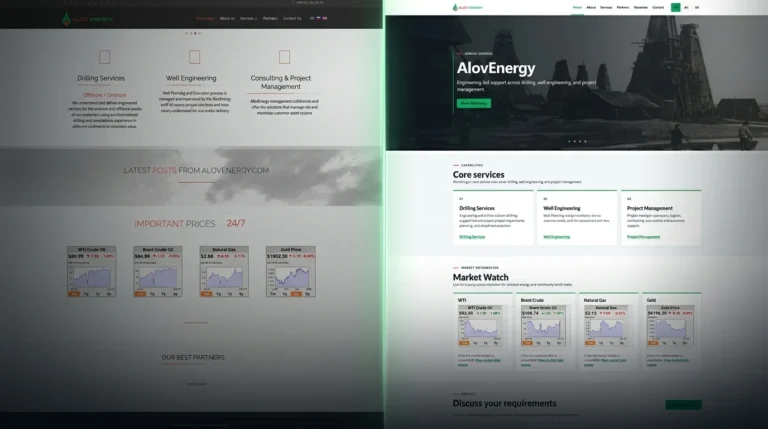
AlovEnergy's outdated Joomla website was rebuilt in WordPress with a lighter architecture, three language versions, clearer service pages, and markedly improved Lighthouse performance.
OutcomeA responsive, three-language WordPress website replaced the legacy Joomla build; the homepage achieved 100 Performance scores in subsequent mobile and desktop Lighthouse tests.
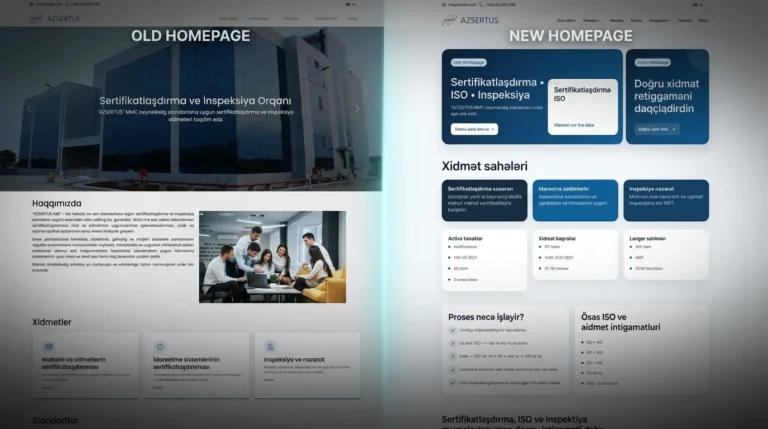
View Case StudyMono rebuilt Azsertus as a multilingual WordPress platform with stronger SEO, content publishing, analytics and inquiry infrastructure for sustained digital growth.
OutcomeRebuilt Azsertus as a multilingual WordPress growth platform with stronger inquiry journeys, content publishing, analytics readiness and improved performance.
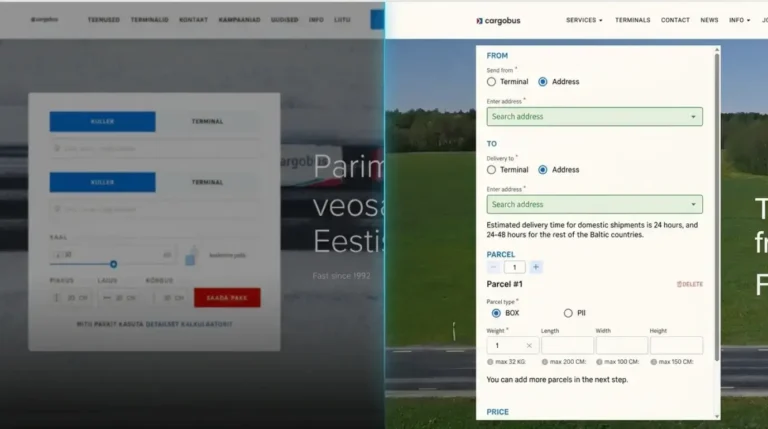
View Case StudyCargobus moved from CakePHP to an editable WordPress platform with City Carrier API integration for parcel creation, live tracking and shipment-status workflows.
OutcomeCargobus moved to an editable WordPress platform connected to live parcel creation and shipment-tracking workflows through the City Carrier API.
View Case StudyHelpful details
Practical answers before requesting a scope.
Choose a website when content, discoverability and clear inquiries are the main job. If users must sign in, manage data or run internal workflows, an application may be more appropriate. We confirm this during discovery.
Yes, when an audit shows that extending or rebuilding the existing installation is sensible. Content migration, plugins, integrations and licensing are assessed in scope.
CMS editing and handover can be part of the agreed scope. Application dashboards, roles and administrative tooling require their own requirements and access rules.
Technical SEO foundations and measurement requirements can be scoped into a website project; ongoing SEO campaigns, external tracking configuration and advanced reporting are separate decisions.
Build with purpose
Share your business goal, audience, existing setup and must-have functionality. We can then recommend the right delivery path and a realistic scope.
Scope and next steps are agreed before implementation.